Get Started
Follow these two easy steps to get started with your Canvas course remediation:
Step 1: Scan your course with TidyUP.
TidyUp will identify unpublished pages, outdated materials, and empty folders, thus helping you to reduce clutter and streamline content that you need to fix for accessibility.
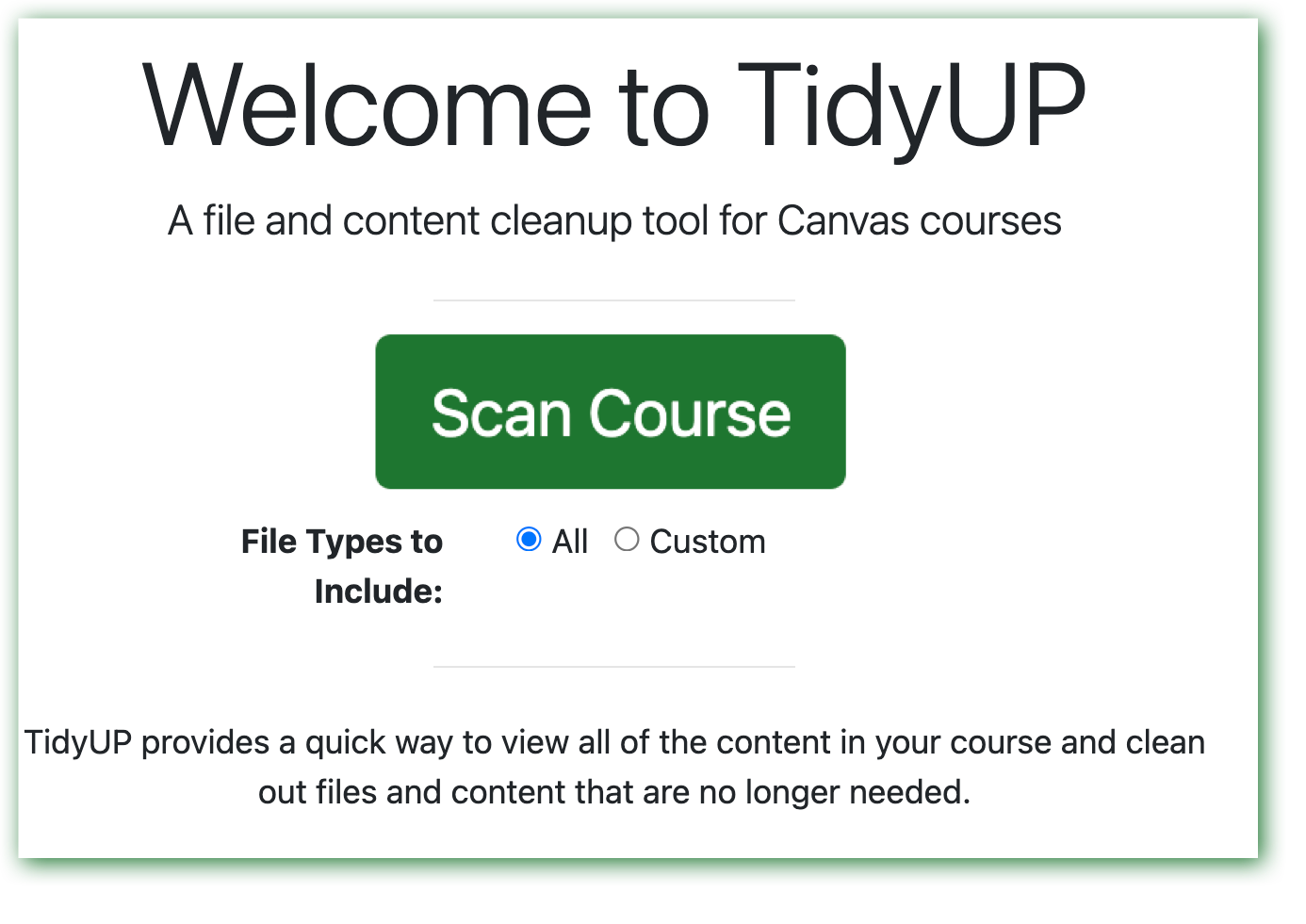
- Find the TidyUp tool in your Canvas course left navigation panel.
- Keep “All” selected and click "Scan Course."
Image
For more detailed instructions
and learning resources, visit TidyUp.
Step 2: Get your UDOIT score.
UDOIT identifies accessibility issues in course content in pages, assignments, discussions, announcements, quiz instructions, and files.
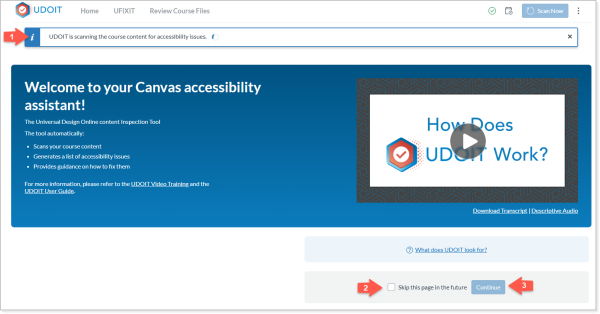
- Select the UDOIT link on your Canvas course (left panel) to begin the automatic accessibility scan. An initial full scan of your course takes a few minutes to review all published and unpublished pages, announcements, assignments, and uploaded files.
- After the scan is complete, click "Continue" on the blue button at bottom of the screen (If desired, check the box for "Skip this page in the future").
While waiting for your scan, enjoy the video, "How Does UDOIT Work?"
Image
For more detailed
instructions, visit UDOIT.