




ADA Title II and You - November 2025
ADA Title II and You
In this month's edition, you'll hear from campus leaders about the impact of Title II and learn about resources to support your remediation efforts.
Let's work together to ensure an inclusive and accessible experience for our entire campus community!
Key Information
Campus leaders outline the impact of ADA Title II
In this video series, hear from campus leaders about the impact of ADA Title II on our campus:
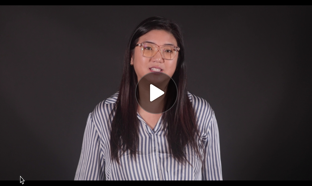
What You Need to Know
Director Mary Nguyen and Associate Director Jessica Wood from the Bob Murphy Access Center (BMAC) outline new requirements for web content, mobile apps, and online courses.
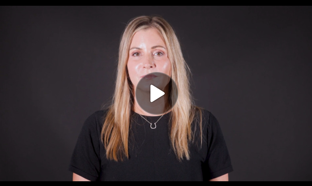
Understanding the Impact
Emily Berquist, Faculty Center Director, outlines key requirements for making websites, digital materials, and courses accessible to all users.
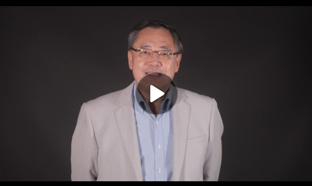
Exceptions, Risks and Support
Min Yao, CIO & Vice President and Beth Lessen, Vice President of Student Affairs, explain key exceptions to Title II, outline the risks of noncompliance, and describes the university’s proactive support efforts.
Training
Discover best practices for creating accessible digital content
Familiarize yourself with basic digital accessibility practices by attending a workshop or course available to CSULB employees.
- Accessible Document Training
New cohorts start the first Monday each month
This self-paced Canvas course guides participants on the creation of accessible content and structure for Word and PowerPoint documents and the optimization of PDF files. Participants have 180 business days to complete the course. Offered by WebAIM through a CSU partnership. - Building Accessible Canvas Pages
Thursday, December 11 | 11 a.m.-12 p.m.
In this workshop, we'll review specific styling rules for pages in Canvas including text headings, hyperlinks, alt text for images, and content structure. Presented by Academic Technology Services. - Creating Accessible PDFs
Self-paced course; open enrollment
This self-paced course provides step-by-step instructions for using the accessibility tools in PDF, MS Word, and PowerPoint files. Offered through LinkedIn Learning.
Action Items
Get help with document remediation
Remediation is the process of fixing accessibility issues in digital content so that everyone can access it.
To meet the new ADA Title II requirements by April 2026, all campus digital materials, including PDFs, MS Word documents, and PowerPoints must be remediated if they are publicly available on the web, or being used actively in Canvas or other learning platforms.
CSULB now offers document remediation services for faculty and staff. This service helps you identify and fix accessibility issues in your current digital content to meet compliance standards by the deadline. This service does not support Canva, Adobe Express, or other image-generation tools.
Submit a Remediation Service Ticket
Remediation Tools
These tools are available to assist you in remediating existing documents:
- Equidox PDF Remediation Tool:
A CSULB-licensed tool that identifies and corrects accessibility issues in PDF files (including Canva files). To request access and training, contact ATI-Compliance@csulb.edu. - Adobe Acrobat Accessibility Tools:
Built-in accessibility checkers help guide your remediation efforts. Select the "Prepare for accessibility," then "Check for accessibility" link on any PDF document opened in Adobe Acrobat to begin the remediation process (Watch the LinkedIn Learning video, "Creating Accessible PDFs" listed above for guidance).
Contact Us
- Student Accessibility Accommodations: BMAC@csulb.edu
- Digital Accessibility: ATI-Compliance@csulb.edu
- Canvas Course Accessibility: ATS-ID@csulb.edu
