D1TA: How-To
How-To: Access Textbook Information
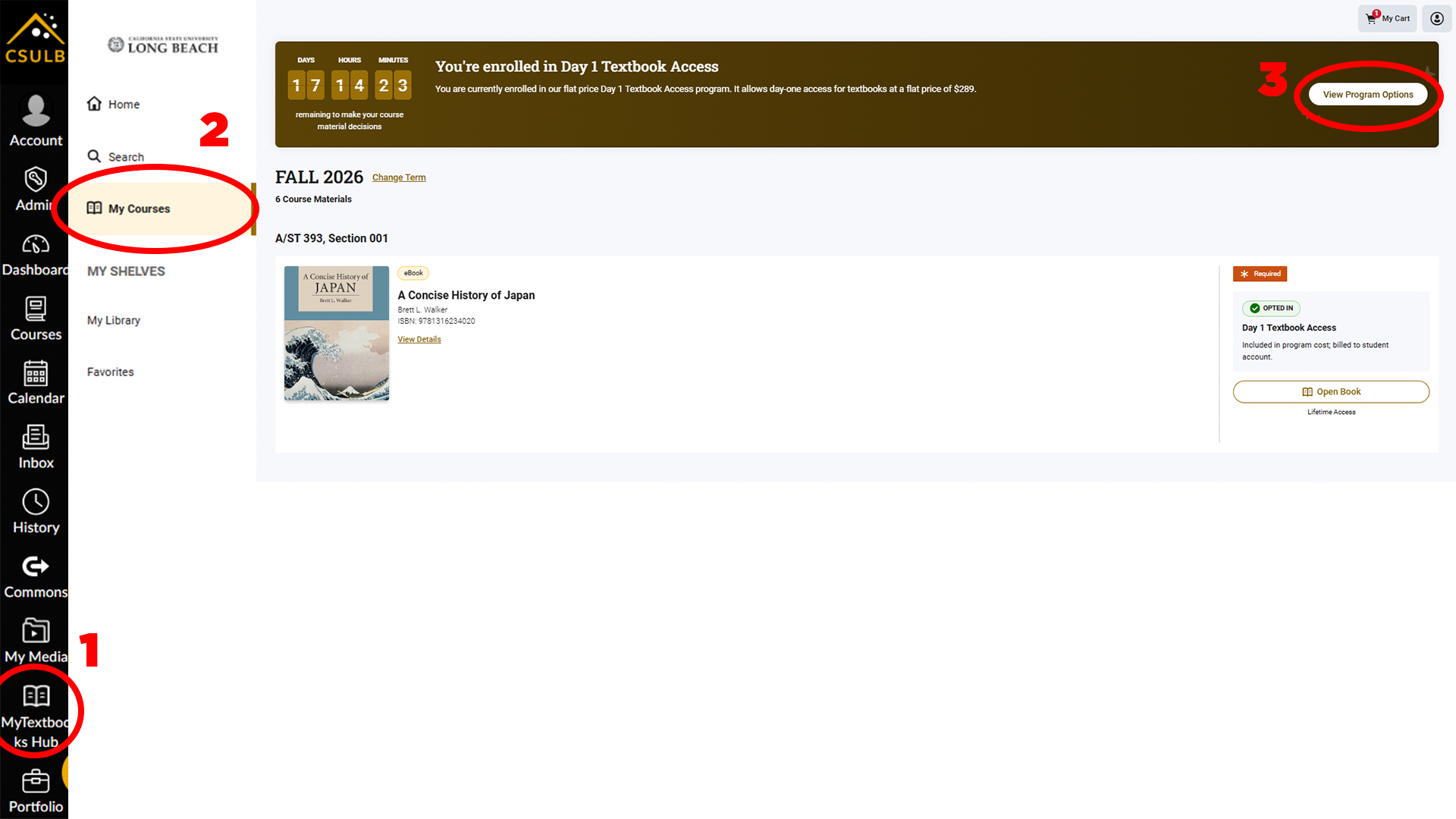
- Choose the MyTextbooks Hub, located on the left side navigation, to access your textbooks.
- Select My Courses to view the current semester's textbooks.
- Choose View Program Options where you can switch programs to the class level access or opt out of the program.
Image
View Program Options
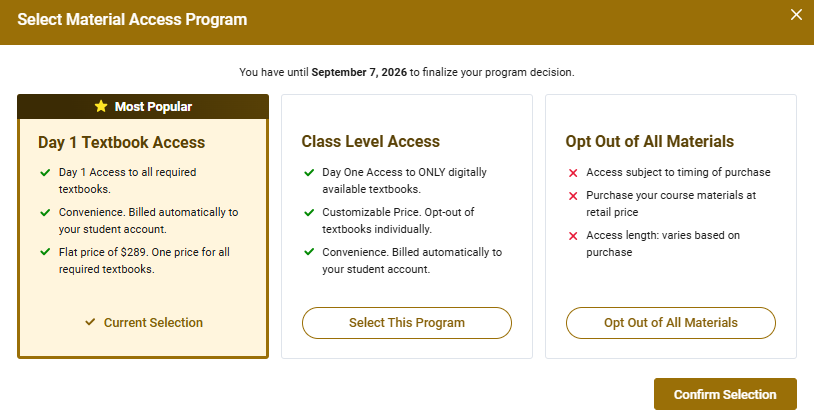
When choosing to View Program Options, you will have the opportunity to select one of three options. To opt in to all coursework, to explore the flex program, or to opt out entirely. Keep in mind that opting out will require to you purchase your textbooks from the bookstore at full price.
Image
How To Access Digital Books
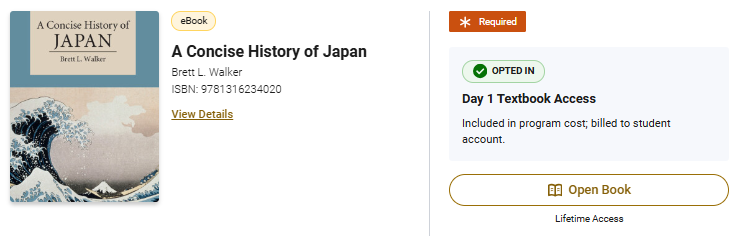
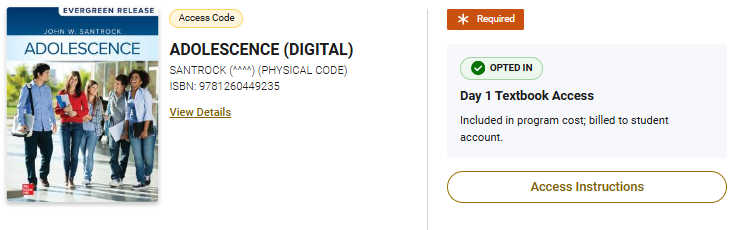
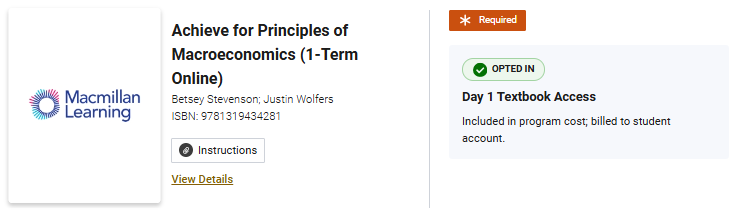
For digital items, you will see “Open Book,” “Access Instructions,” or “View Details” on the item card. Regular e-books will have the Open Book button while materials on the publisher’s platform such as courseware will have additional instructions.
Image
Image
Image
How To Access Physical Books
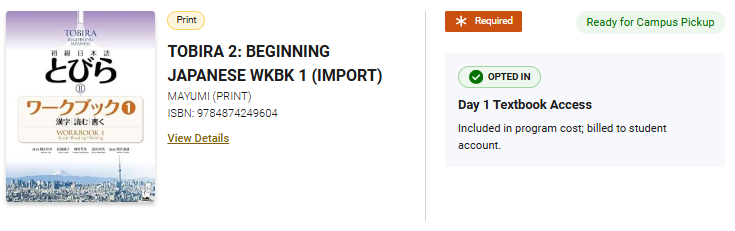
For physical books, you will see a “Ready for Campus Pickup” at the top right of the item card. These can be picked up inside the Bookstore at the D1TA counter.
Image