




RSVP and Tickets
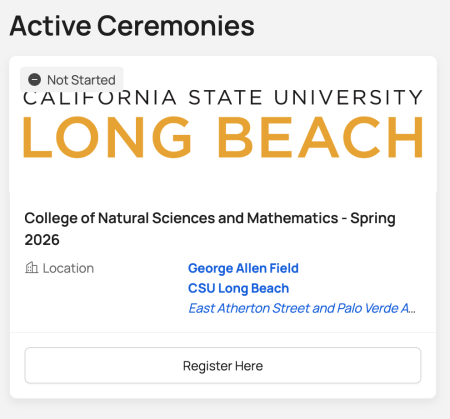
RSVP and claim your ceremony tickets through the “Tassel” tile in your CSULB SSO starting Tuesday, March 17. If you do not see the Tassel tile:
- Click “Add Apps” in the upper-right corner of the SSO landing page.
- Clear your browser cache and reload the page.
- If the tiles still do not appear, email commencement@csulb.edu
When you log in to Tassel, you will see your assigned ceremony/ceremonies. Double majors who plan to attend both ceremonies must submit an RSVP for each ceremony.
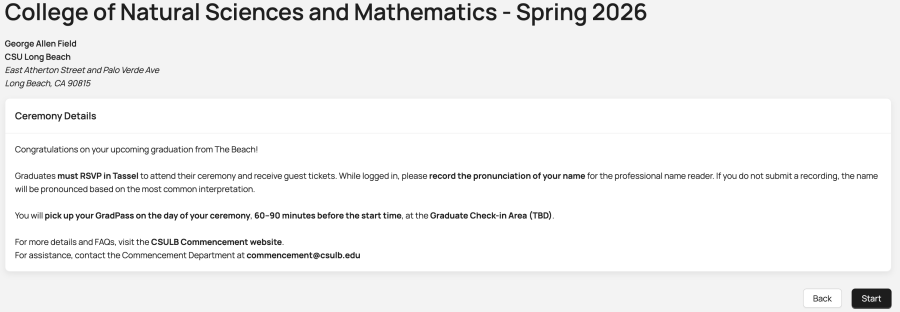
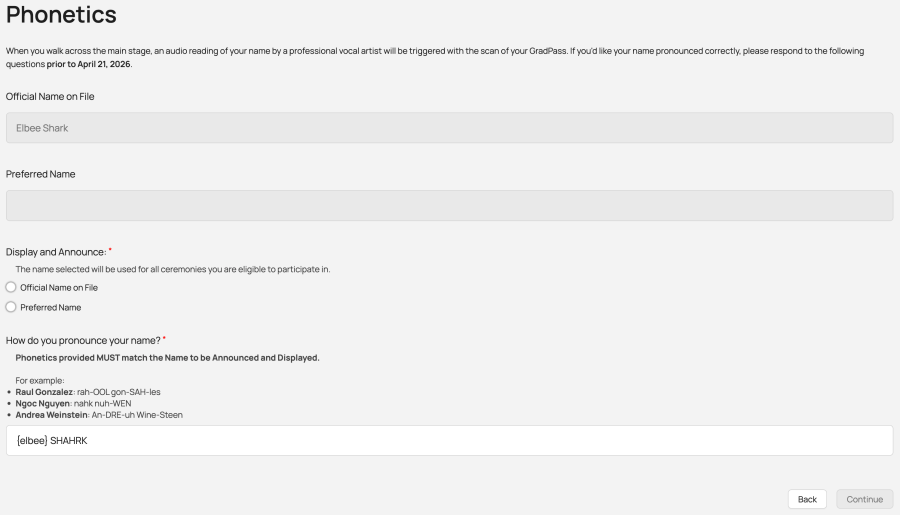
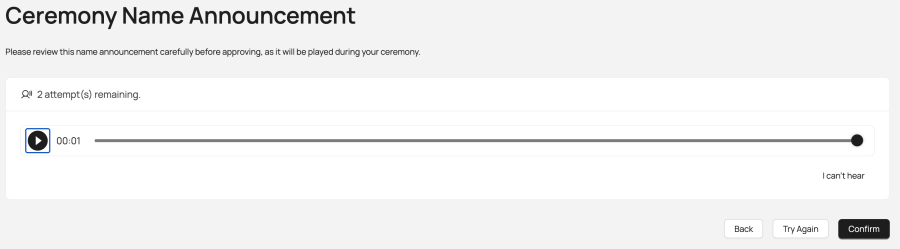
Confirm your name spelling and pronunciation by submitting a phonetic spelling and confirming or re-recording your name.
Please note: the recording will default to your 'Official Name on File' and you will need to follow these instructions exactly. If you would like to use your “Preferred Name” for your name recording, please follow these work-around instructions.
- Listen to the pre-recorded pronunciation suggestion, then select TRY AGAIN.
- You will repeat this until you are able to REJECT the recording.
- You will then be prompted to RECORD YOUR OWN pronunciation.
Select the number of tickets you want to redeem. If you redeem fewer than 10, you can return later to claim the remaining balance. Children ages 2 and under do not need a ticket, provided they are seated on an adult's lap.
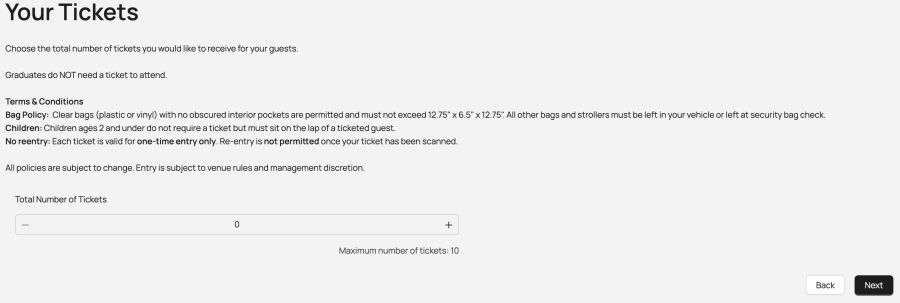
Add your friends’ and family members’ email addresses so they can celebrate with you. This does not send them a ticket—it is a digital graduation announcement only. 🎓

Complete a brief survey about your plans after graduation.
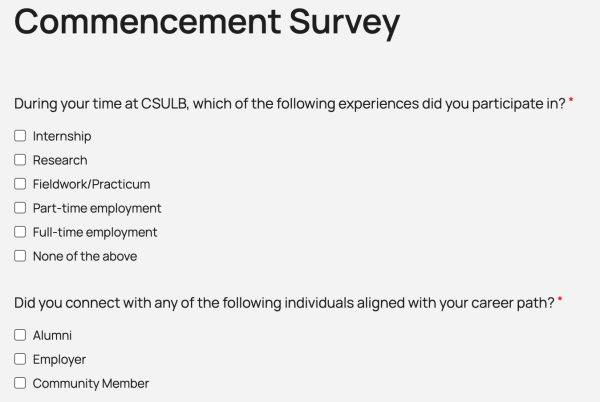
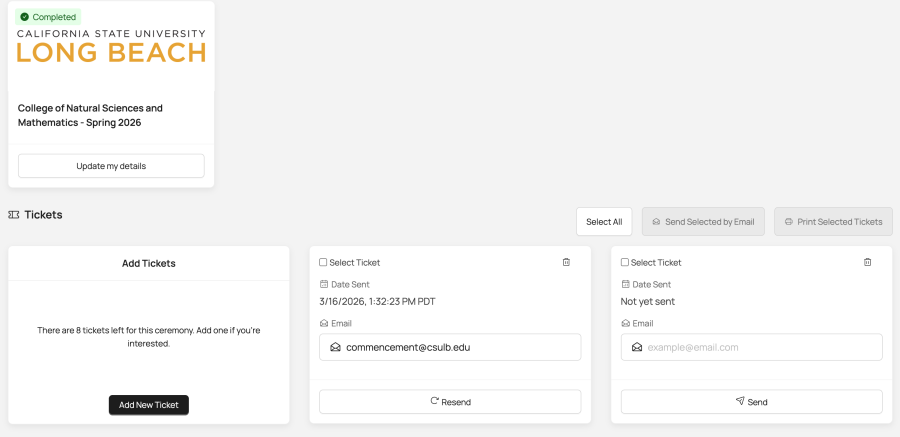
After completing the survey, return to the Tassel home page to manage your guest tickets. Children 2 years and under do NOT need a ticket.
You can send tickets directly to each guest or send them to yourself to distribute later.
Note: Each ticket can be scanned only once—re-entry to the venue is not permitted.
Children
Children 2 years old and under do not need a ticket and must be seated on an adult's lap. If they sit in a seat, they need a ticket. Strollers/wagons are not allowed inside the venue. Leave them at home or in the car.
Grad Tickets
Grads do not need a ticket. You will use your Tassel GradPass for check-in and scan this same GradPass to have your pre-recorded name announced as you walk across the stage.
Accommodations
For accessible seating needs, these are the same general admission tickets. Seating in this section includes one companion anyone who needs or is utilizing a wheelchair/requires visual assistance. Please ensure to check in with your companion at Graduate Check In for details. Check the Accessibility page for more information.
Guest Tickets Terms & Conditions
- Children: Children ages 2 and under do not require a ticket but must sit on the lap of a ticketed guest.
- No re-entry: Each ticket is valid for one-time entry only. Re-entry is not permitted once your ticket has been scanned. Duplicate tickets will be denied entry.
- Bag Policy: Clear bags (plastic or vinyl) with no obscured interior pockets are permitted and must not exceed 12.75" x 6.5" x 12.75". All other bags and strollers must be left in your vehicle.
